Home » Games » RUST » Macro: Rust_QuickDeploy
Rust_QuickDeploy
Description
The macro "Rust_QuickDeploy" for "RUST" can be downloaded and used on regular mouse and keyboard.
Installing the macro is very simple in the Keyran program and enhances your gaming experience!
TITLE: Quick Placement in Rust. description: This feature allows you to quickly install structures in the game. The process consists of the following steps: open the inventory (Tab) -> select the desired building -> hover over -> left-click -> confirm the placement. This greatly speeds up the process of building your base. RECOMMENDED KEY: Mouse 4 (side button). HOW TO USE: Link the macro to the Mouse 4 button. Select a building element in the inventory and simply press Mouse 4. The macro will place it automatically. ONCE per click. settings: If the process is slow, you can increase the time delays. AUTHOR: Britan. COPY only with the author's name.
Information
Author: Britan
Game: RUST
Update: 07/21/2026 03:10:02
Rating:
0/5
Download
Free download macro «Rust_QuickDeploy» for «RUST». To use it, read the installation instructions.
Download
Size 1.46 Kb | Downloaded 59 times
Comments (~)
Loading comments
Only authorized users can leave comments
Send
Loading comments
Show more
6 дней назад..
0
0
Пример сообщения..
Answer
Edit
Cancel
Save
We save..
+N points
Changed
Home » Games » RUST » Macro: Rust_QuickDeploy
© 2016 - 2026 Keyran - program for creating and running macros | User agreement | Privacy Policy | Site Map
Instructions for installing a macro
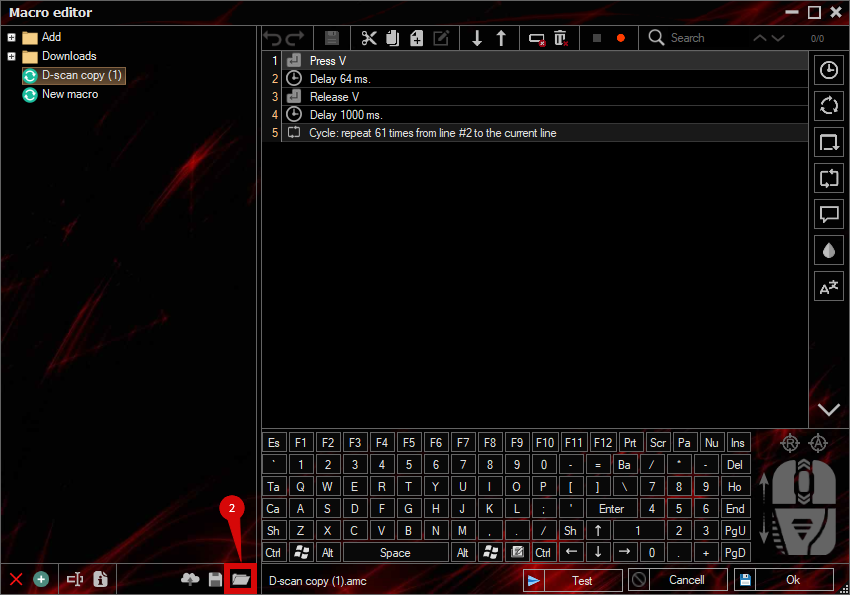
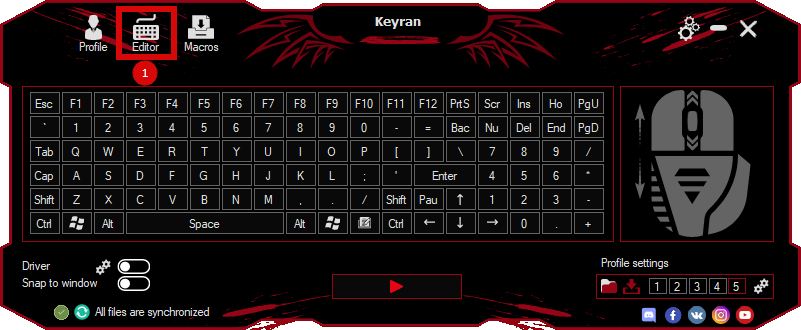
Download and install the Keyran program. Let's go to the macro editor.
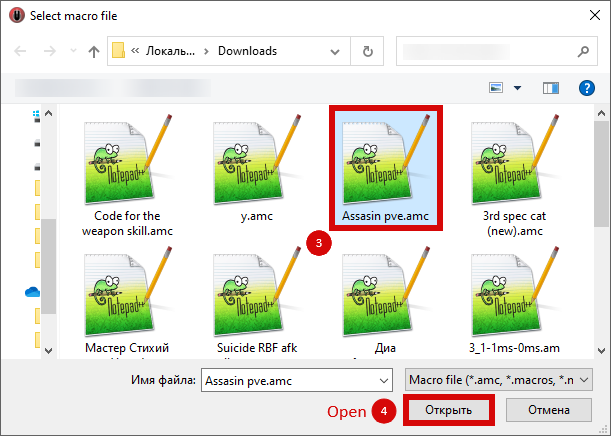
Click the «Open File» button and select the downloaded file.
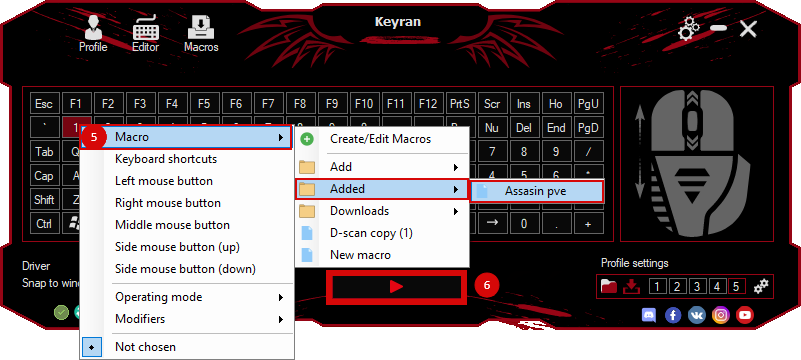
Assign a macro to a key and run the program.
Содержимое сообщения