Home » Games » MTA Province » Macro: LOOPED Monorail right by 715
LOOPED Monorail right by 715
Description
The macro "LOOPED Monorail right by 715" for "MTA Province" can be downloaded and used on simple mouse and keyboard.
Installing the macro is with one movement in the Keyran program and enhances your gaming experience!
The macro «Monorail: counterclockwise movement» (To the Right) allows you to conveniently organize the automatic operation of your character, ensuring an efficient process without the need for constant monitoring. 

Instruction manual:
1. Go to your workplace and select the «WORK» option by holding down the button that the macro is linked to.
2. At the end of every two laps (after about 15 minutes) Your character will automatically step back and resume his position on the job marker.

You can adjust the repetition rate of the macro to your liking: just right-click on the icon corresponding to your macro.

Thank you for choosing our macro!
Information
Author: bbka715
Update: 01/07/2026 05:11:28
Rating:
0/5
Download
Free download macro «LOOPED Monorail right by 715» for «MTA Province». To use it, read the installation instructions.
Download
Size 5.86 Kb | Downloaded 25 times
Comments (~)
Loading comments
Only authorized users can leave comments
Send
Loading comments
Show more
6 дней назад..
0
0
Пример сообщения..
Answer
Edit
Cancel
Save
We save..
+N points
Changed
Home » Games » MTA Province » Macro: LOOPED Monorail right by 715
© 2016 - 2026 Keyran - program for creating and running macros | User agreement | Site Map
Instructions for installing a macro
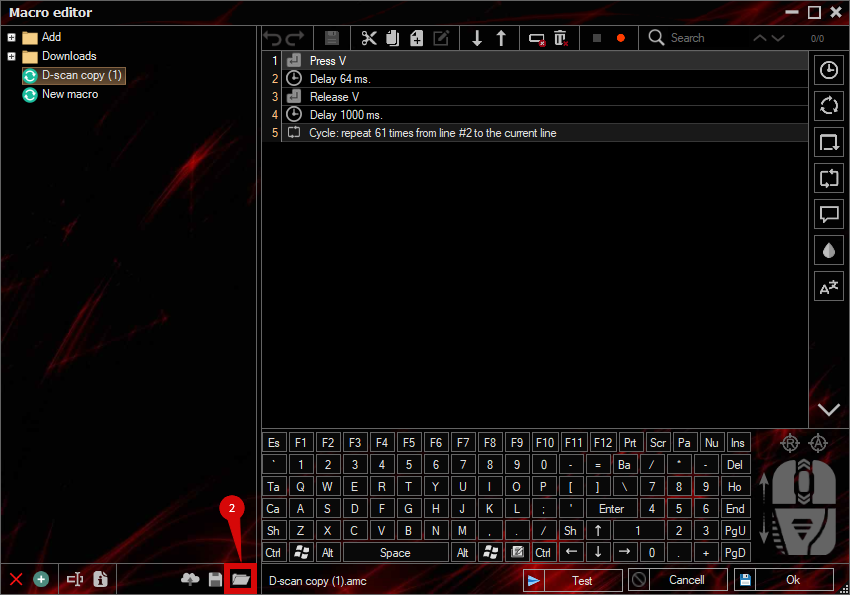
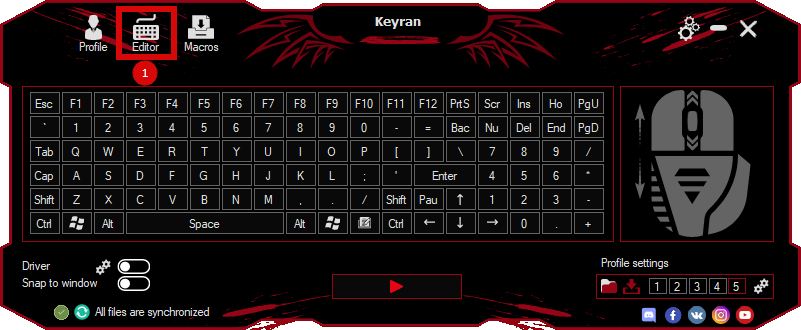
Download and install the Keyran program. Let's go to the macro editor.
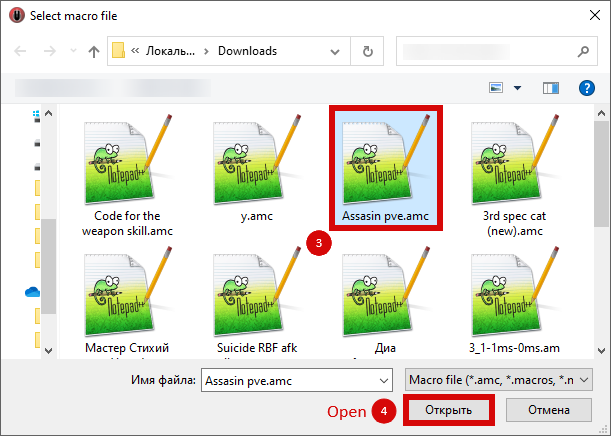
Click the «Open File» button and select the downloaded file.
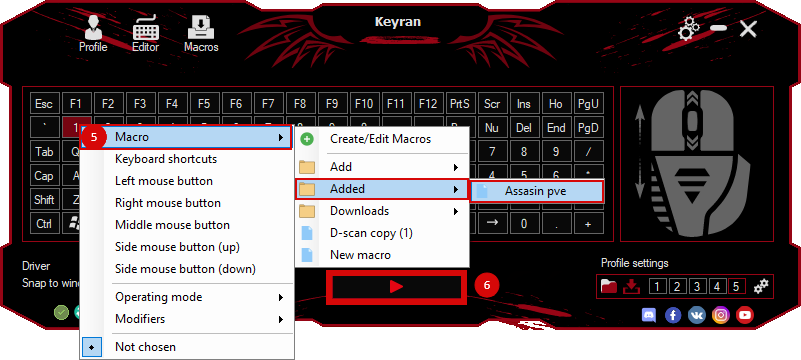
Assign a macro to a key and run the program.
Содержимое сообщения