Home » Games » Call of Duty: Warzone » Macro: COD_SlideCancel
COD_SlideCancel
Description
The macro "COD_SlideCancel" for "Call of Duty: Warzone" can be downloaded and used on simple mouse and keyboard.
Installing the macro is in the Keyran program and increases your skill level in the game, if you follow the instructions!
title: The art of Slide Cancel in COD Warzone. DESCRIPTION: This macro allows you to effectively cancel slides to optimize movement: first run (W+Shift), then sit down (Ctrl), then jump (Space) and sit down again (Ctrl). This allows you to maintain a ready mode with weapons in hand. RECOMMENDED KEY: Mouse 5 (side mouse button). HOW TO USE: Set up the macro on the Mouse button 5. Start running, then activate the macro, and it will perform a series of actions to cancel the slide. Hold down the button to repeat the action. customization: If the function does not work, increase the delay between clicks. AUTHOR: Britan. Copying without attribution is prohibited.
Information
Author: Britan
Update: 07/21/2026 03:05:38
Rating:
5/5
Download
Free download macro «COD_SlideCancel» for «Call of Duty: Warzone». To use it, read the installation instructions.
Download
Size 1.71 Kb | Downloaded 261 time
Comments (~)
Loading comments
Only authorized users can leave comments
Send
Loading comments
Show more
6 дней назад..
0
0
Пример сообщения..
Answer
Edit
Cancel
Save
We save..
+N points
Changed
Home » Games » Call of Duty: Warzone » Macro: COD_SlideCancel
© 2016 - 2026 Keyran - program for creating and running macros | User agreement | Privacy Policy | Site Map
Instructions for installing a macro
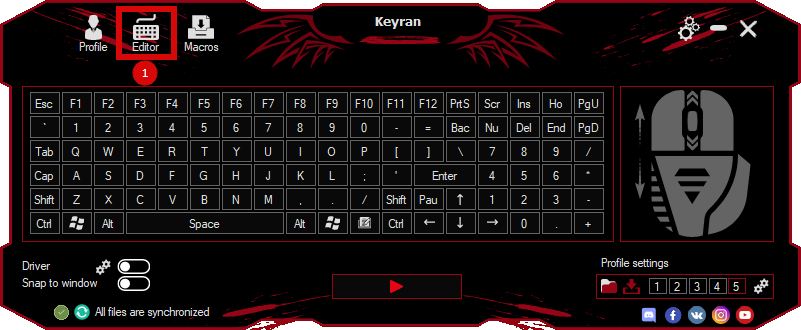
Download and install the Keyran program. Let's go to the macro editor.
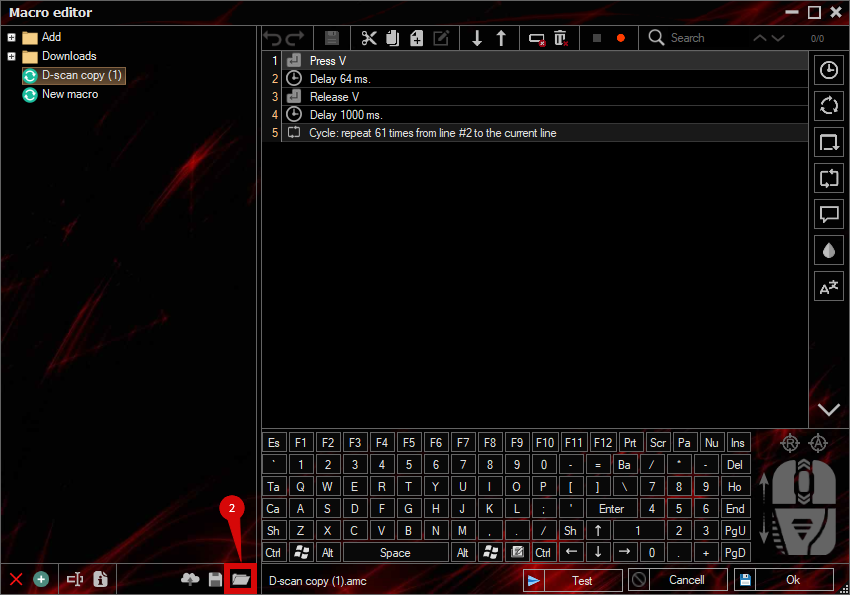
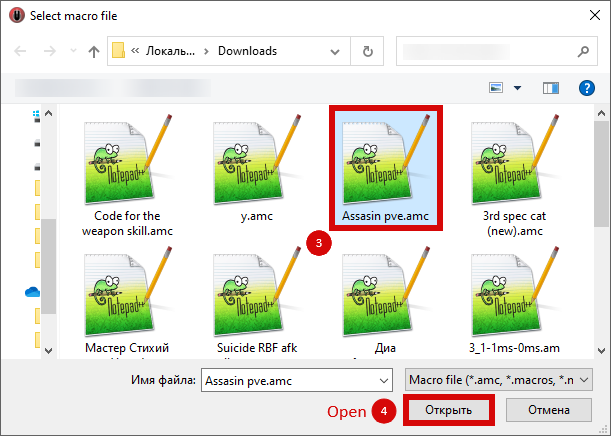
Click the «Open File» button and select the downloaded file.
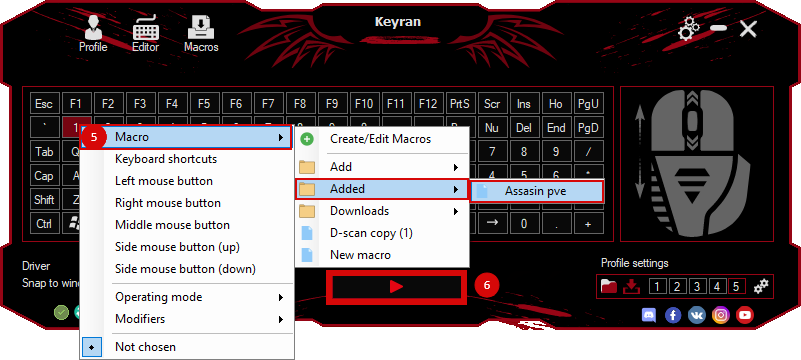
Assign a macro to a key and run the program.
Содержимое сообщения